Department Portal

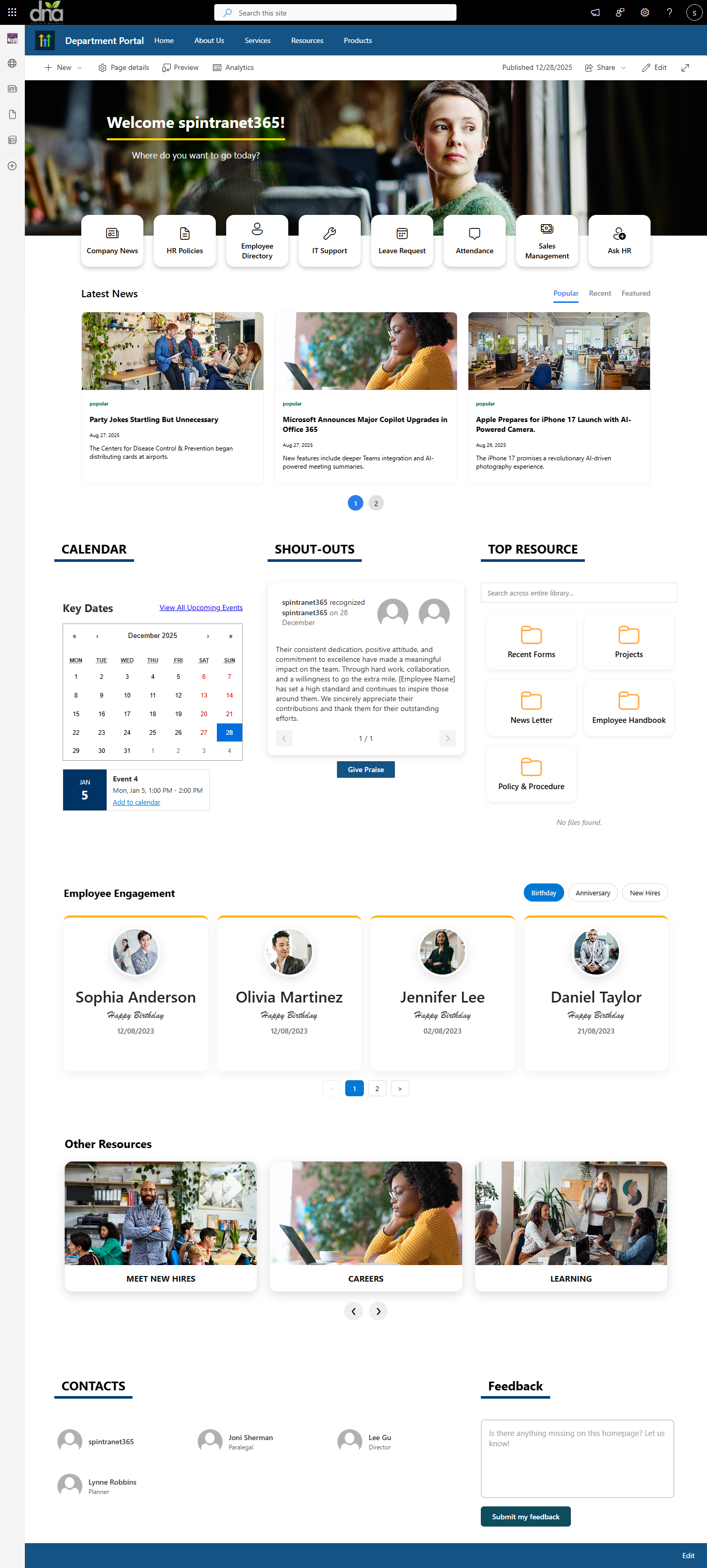
Our modern SharePoint Department Intranet Portal is a centralized digital workplace designed to improve communication, collaboration, and productivity. It connects employees, streamlines processes, and provides secure access to information across the organization.
Technologies Used
- Platform: SharePoint Online (Modern Experience)
- Framework: SharePoint Framework (SPFx)
- Languages: TypeScript, JavaScript, HTML5, SCSS
- UI Library: React + Fluent UI
- Data Access: PnPjs for secure & optimized SharePoint communication
- Deployment: App Catalog (Tenant or Site Collection)
- Design System: Responsive, mobile-first layout
- Branding Support: Custom themes, colors, and layouts
- Performance: Lightweight bundles, optimized loading
- Compatibility: Microsoft 365 & SharePoint Online
One platform. 15 + powerful web parts. Endless intranet possibilities
- SharePoint Banner: Display stunning hero banners on pages. Supports rotating images and branding.
- Announcement: Highlight important updates and alerts.
- Quick Links: Provide easy access to important resources. Modern icons, categories, and well configurable custom layouts.
- SharePoint News: Showcase company news in a modern configurable layout.
- SharePoint Events: Publish company events and training schedules. Includes calendar view and registration options.
- Employee Feedback: Collect feedback through quick forms. Helps measure employee satisfaction.
- SharePoint FAQ: Display faq in a structured, searchable format. Supports categories and filters.
- SharePoint Library Search: Search documents with filters and sorting. Helps users find files quickly.
- SharePoint Top Navigation: Add mega-menu or modern top navigation. Helps users explore intranet efficiently.
- SharePoint Footer Webpart: Add a global, branded footer to all pages. Supports links, social icons, and contact info.
Pricing Plans
✨ Lifetime Access for only $599 — pay once, use forever.
No subscriptions, no renewals.
Install on unlimited site collections within the same tenant for a single purchase.
Contact Us
How to Install
Step 1
Contact us at info@spintranet365.com to receive the latest package.
Step 2
We help you upload and deploy the package to your App Catalog.
Step 3
We assist in configuring the app on your SharePoint page.