SharePoint FAQ Webpart

The SharePoint FAQ Web Part is a modern SharePoint Framework (SPFx) component designed to highlight outstanding employees and their achievements. It dynamically pulls employee details such as photo, name, job title, and a short bio from a SharePoint list and presents them in an elegant, responsive layout. This web part helps promote recognition, boost morale, and strengthen workplace culture by showcasing team members’ contributions directly on your SharePoint intranet homepage.
Overview
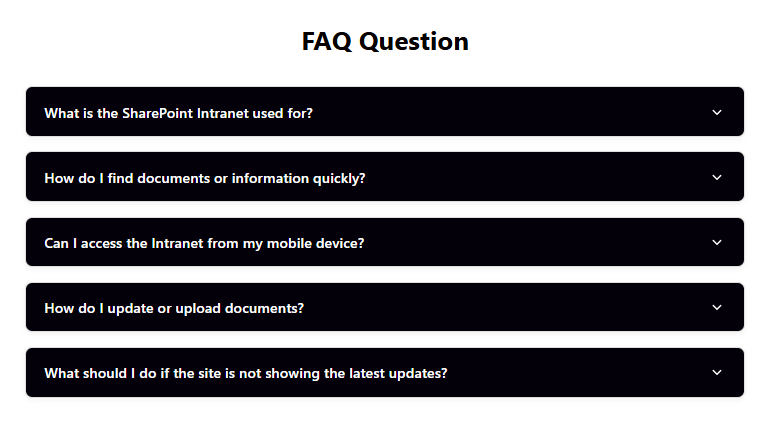
The FAQ (Frequently Asked Questions) Web Part is a modern SharePoint Framework (SPFx) component designed to simplify information sharing and enhance user self-service on your intranet. It allows organizations to display common questions and answers in a clear, categorized, and easily searchable format, helping users find solutions quickly without needing to contact support or HR teams.
This web part dynamically retrieves FAQ entries from a SharePoint list, displaying questions, answers, and categories in an organized and user-friendly interface. It’s ideal for centralizing help resources, onboarding materials, IT support questions, or HR policy clarifications — reducing repetitive inquiries and improving overall user experience.
- Automated Data Integration: Connects directly to a SharePoint list containing FAQs, with fields for category, question, and answer.
- Modern, Responsive Interface: Delivers a clean, collapsible, and mobile-friendly design for effortless browsing.
- Advanced Search & Filter: Enables users to quickly find relevant FAQs by keyword or category.
- Dynamic Display Options: Supports accordion, tabbed, or grid-based layouts to match your intranet style.
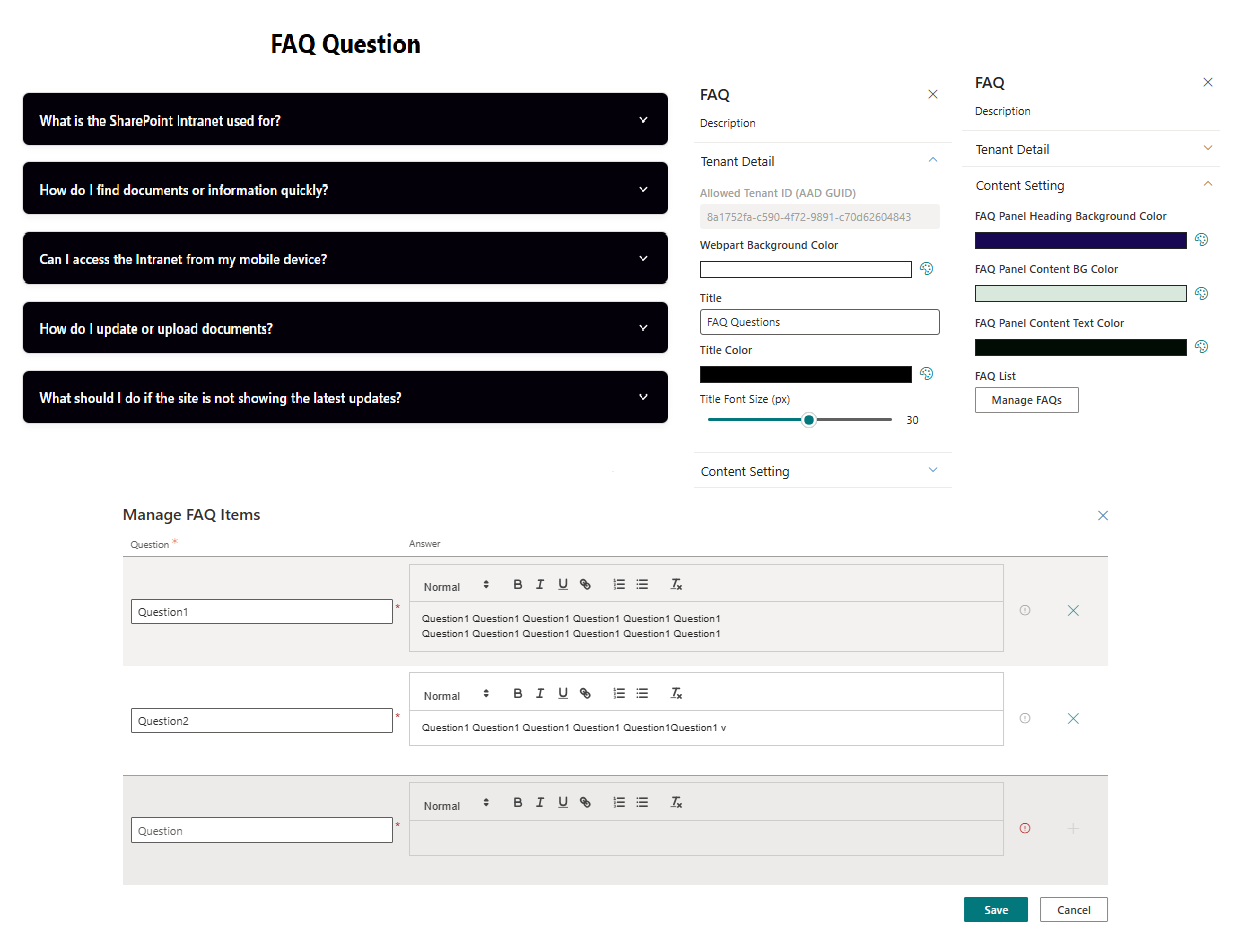
- Easy Customization: Adapt colors, icons, and formatting to align with your organization’s branding.
- Optimized Performance: Built using SPFx and PnPjs for efficient data loading and smooth user interaction.
Perfect for IT, HR, or corporate communication sites, the FAQ Web Part empowers employees with instant access to key information — improving productivity, reducing support load, and creating a more connected digital workplace.
Product Details
- Platform: SharePoint Online (Modern Experience)
- Framework: SharePoint Framework (SPFx)
- Data Source: SharePoint List
- Integration: Utilizes PnPjs for fast, secure, and efficient data retrieval
- Layout: Modern, responsive, and visually engaging interface with animation effects
- Customization: Supports organizational branding, layout preferences, and color themes
- Performance: Optimized for minimal load time and smooth content rendering
- Support: Easy to configure, extend, and integrate with your SharePoint intranet environment
Pricing Plans
How to Install
Step 1
Contact us at info@spintranet365.com to receive the latest app package file.
Step 2
We will assist you remotely to upload and deploy the package to your SharePoint App Catalog site.
Step 3
Once deployed, we’ll help you install and configure the app on your SharePoint page for seamless integration.