SharePoint Library Search Webpart

Overview
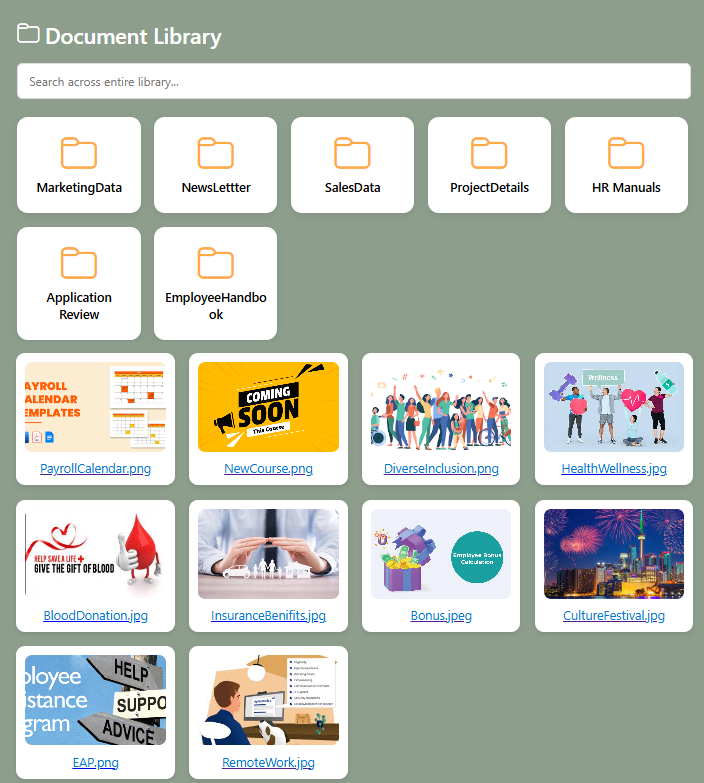
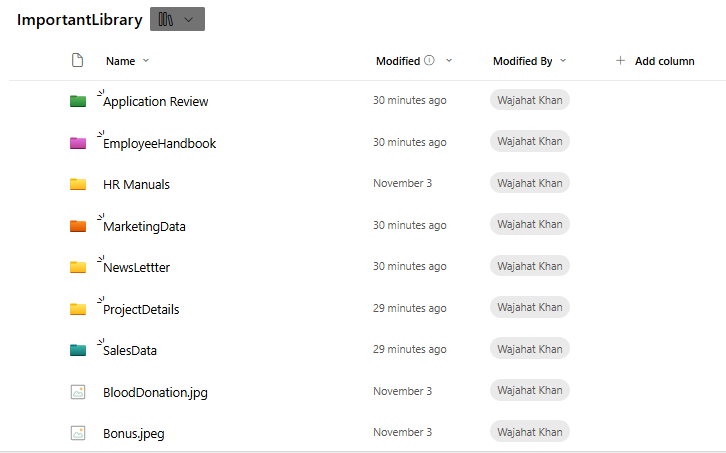
The SharePoint Library Search Web Part is a powerful modern SPFx web part designed to help users instantly search, preview, and open files across your entire SharePoint site. It connects to multiple document libraries and allows users to locate documents, images, videos, presentations, and other file types in seconds.
This web part intelligently scans library items, displays dynamic file previews, and opens files in new tabs—including Word, Excel, PowerPoint, PDFs, images, and videos. It provides a fast, modern, and user-friendly experience optimized for enterprise content search.
- Advanced Library Search: Search across one or multiple SharePoint libraries using keywords, file names, or metadata.
- Dynamic File Preview: Supports previews for images, videos, PDFs, Office documents, and more—displayed directly inside the web part.
- Fast PnPjs Integration: Fetches files efficiently from SharePoint using optimized API calls.
- Responsive Grid Layout: A modern tile/grid-based UI for easier browsing.
- Multi-Format Support: Works with documents, Excel, PPT, images, videos, audio, PDFs, zip files, and more.
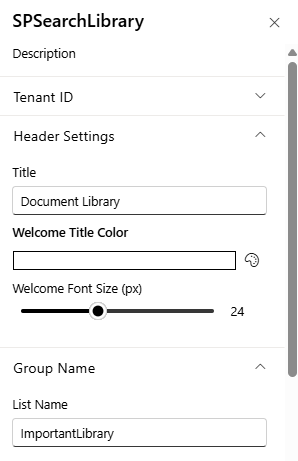
- Brand Customization: Customize colors, grid style, card thumbnails, and layout to match your intranet branding.
Ideal for teams, departments, and enterprise-wide environments—this Search Web Part delivers a modern and efficient experience to find and access SharePoint files instantly.
Product Details
- Platform: SharePoint Online (Modern Experience)
- Framework: SharePoint Framework (SPFx)
- Data Source: SharePoint Document Libraries
- Integration: PnPjs for fast library search and retrieval
- Features: Dynamic preview, thumbnails, file type icons, filters
- Customization: Branding, custom colors, grid settings
- Performance: Optimized for large libraries with thousands of files
- Support: Easy configuration and installation
How to Install
Step 1
Contact us at info@spintranet365.com to receive the SPFx app package.
Step 2
We help you upload and deploy the package to the App Catalog.
Step 3
Add the Library Search Webpart to your SharePoint page and configure the connected libraries.